The app development company that shows you every screen first.
Harvey's Studio is an app development company for businesses that want their own iPhone and Android app, in their own brand, with real accounts, data and notifications behind it. You tell us what the app should do, you see and approve every screen before it is built, and you try it on your own phone before it reaches the App Store and Google Play.
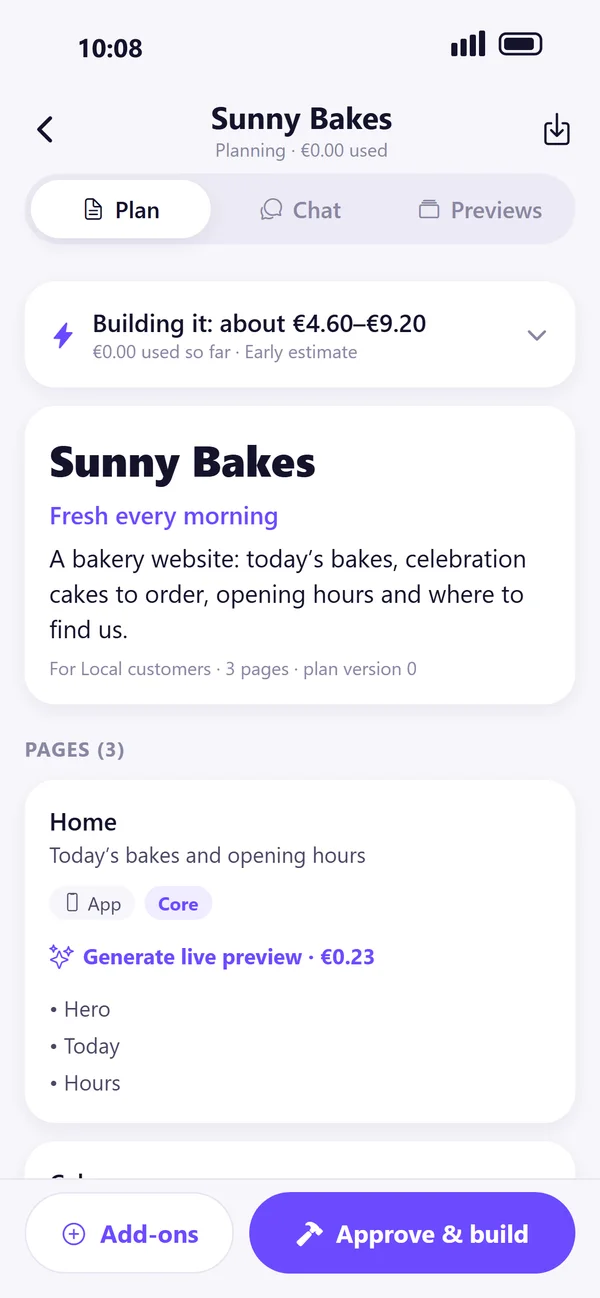
- iPhone and Android from one build
- Every screen and every cost approved first
- Store listing and submission done with you
What a good app development company does for a business
Choosing an app development company is really choosing how your app will be decided, built and looked after. We plan, design, build, test and launch iPhone and Android apps for businesses of every kind, and we do it in a way that keeps you in control: you see the plan, the screens and the cost of each step before anything is spent, and every change you ask for is saved so it can be undone.
An app is not the right answer for every business, and we will say so when it isn't. A website is how new customers find you on Google. An app is how people who already know you come back: they open it from their home screen, they stay signed in, and they can book, order or check their membership in a couple of taps. If your customers return often, an app tends to earn its place. If most people visit you once, a fast website usually does more for less.
Every app we make is a proper app for iPhone and Android, built once for both, published under your business name, with its own online backend for accounts, data and notifications.
Who an app suits best
Businesses whose customers come back: cafés and restaurants with regulars who order ahead, gyms and studios whose members book classes, salons and clinics with repeat appointments, clubs with memberships, shops with a loyal following, and service businesses whose clients want to see their jobs, documents or invoices in one place.
It also suits new ideas that only make sense on a phone: a booking marketplace, a members' club, a tool your own staff use every day.
When a website is enough
If people mostly want your opening hours, your prices and a way to contact you, a well-built website does that better than an app, because nobody has to download anything. Many businesses start with the website and add an app later, once they know what their regulars ask for. We can build a website and app together, or turn your existing website into an app when you are ready.
What an app gives you that a website can't
A place on your customer's home screen, sign-in that stays signed in, and notifications that reach people who chose to hear from you: a free slot today, a new class, an order that is ready. Those three things are why people open an app again and again, and they are what we design around.
Describe your app, answer a few questions, get a clear plan.
Type or say what you want the app to do, in your own words. We ask a few friendly questions about your customers and your business, then turn your answers into a written plan: every screen, what each one does, the build phases and the cost of each step, before anything is spent.
- No technical words needed
- Every screen listed with what it does
- Cost of each step shown up front
- A plan you can share with a partner or your team
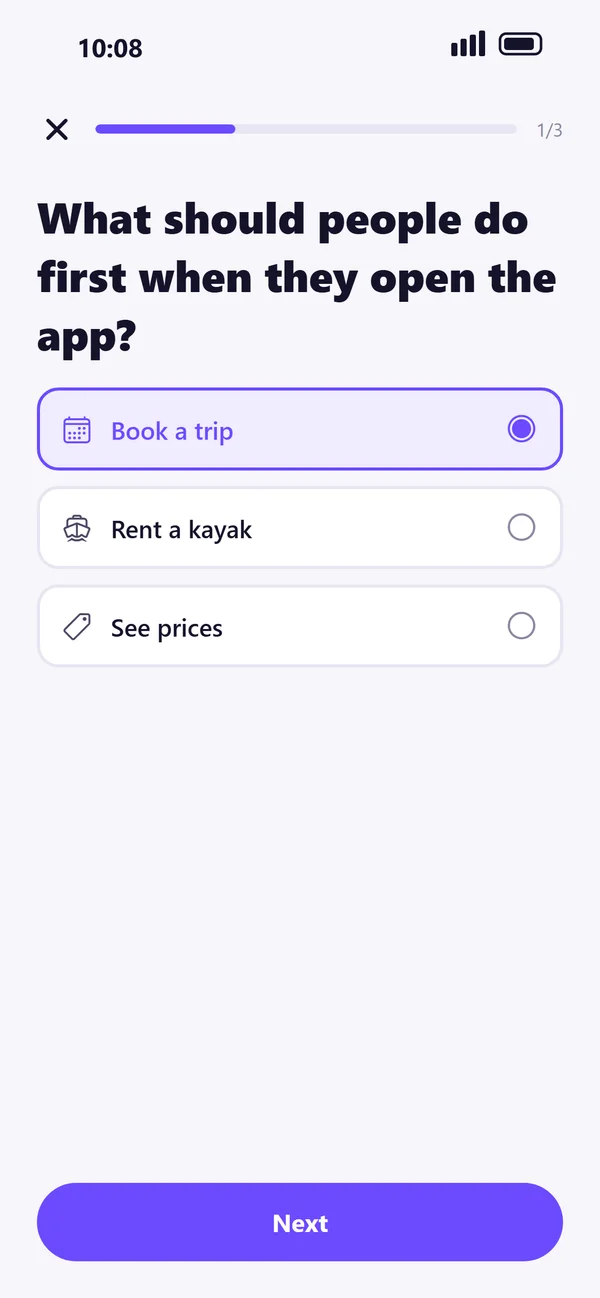
Features a business app needs
Each of these is a feature we add to your app, with its price shown in the plan before it is built.
Bookings
Appointments, tables or classes booked in a few taps, with reminders.
Order ahead
Customers order and pay before they arrive, then collect when it's ready.
Card payments
Payments go straight to your own account, including subscriptions.
Marketplace payouts
For apps where customers pay other people, with payouts handled for you.
Loyalty card
Digital stamps and rewards that give regulars a reason to return.
Memberships and classes
Members, plans and class timetables in one place.
Accounts
Customers keep their details, bookings and history.
Notifications
Reminders, offers and updates sent to people who opted in.
Event tickets
List events, sell tickets and see who is coming.
Online shop
Products, options and checkout inside the app.
Messages
Customers can message the business from inside the app.
English and Spanish
Apps that speak both languages of your customers.
Mobile app development in phases, not one big leap
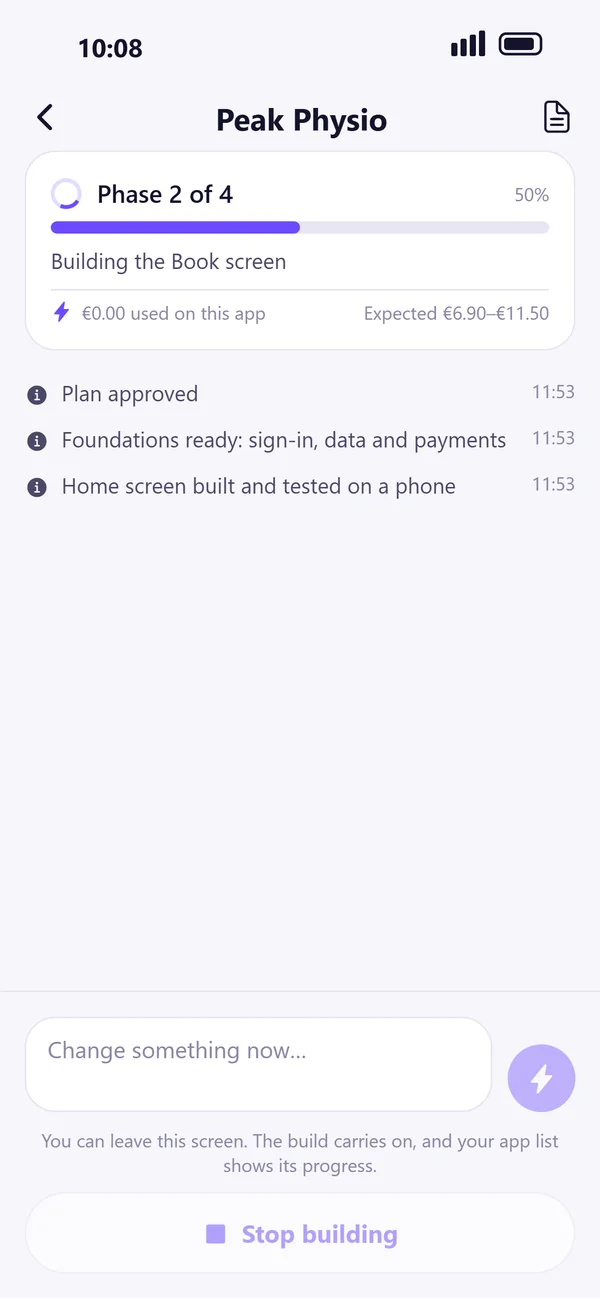
Big apps go wrong when everything is built at once and shown at the end. We work the other way round. Your app is split into phases, each one small enough to check properly, and nothing moves on until the phase before it works.
Before any building starts you see live, tappable previews of the screens in your brand. You can tap through them on your phone, ask for changes in plain words and approve each screen. Only approved screens are built. That one habit removes most of the surprises people fear from app projects.
A build timeline and a live cost estimate
Your plan shows the phases in order and what each one costs. As you add or remove features, the estimate updates, so you always know what the next step will cost before you agree to it. If you need to stop for a while, for budget, a busy season or a decision you're not ready to make, the project can be paused and resumed later without losing anything.
Tested on a phone before you see it
Every phase is tested automatically on a test phone: screens opened, buttons tapped, forms filled in, and anything broken fixed before it reaches you. Then you try it yourself. For the full picture of how test versions reach you and your team, see app beta testing.
Every change saved, every change reversible
Each change keeps a saved version. If something you asked for turns out to be a bad idea, it can be undone. You never have to worry that one request will break what already works.
A real backend behind the screens
The screens are only half an app. Accounts, saved data, payments and notifications all live in an online backend that is planned with the app from day one. We explain how that part works, and what it costs, on app backend development.
From idea to the App Store and Google Play
Describe it and answer a few questions
In your own words, typed or spoken. We ask what we need to know about your customers.
Get the written plan
Every screen, the phases and the cost of each step, before anything is spent.
Approve the screens
Live, tappable previews in your brand, changed until you are happy.
Built in phases
Each phase built, tested on a phone and checked before the next begins.
You and your testers try it
A private link and test versions for your team, before launch.
Published on both stores
Screenshots, listing text and privacy answers prepared, and the app submitted with you.
Your website, inside your app.
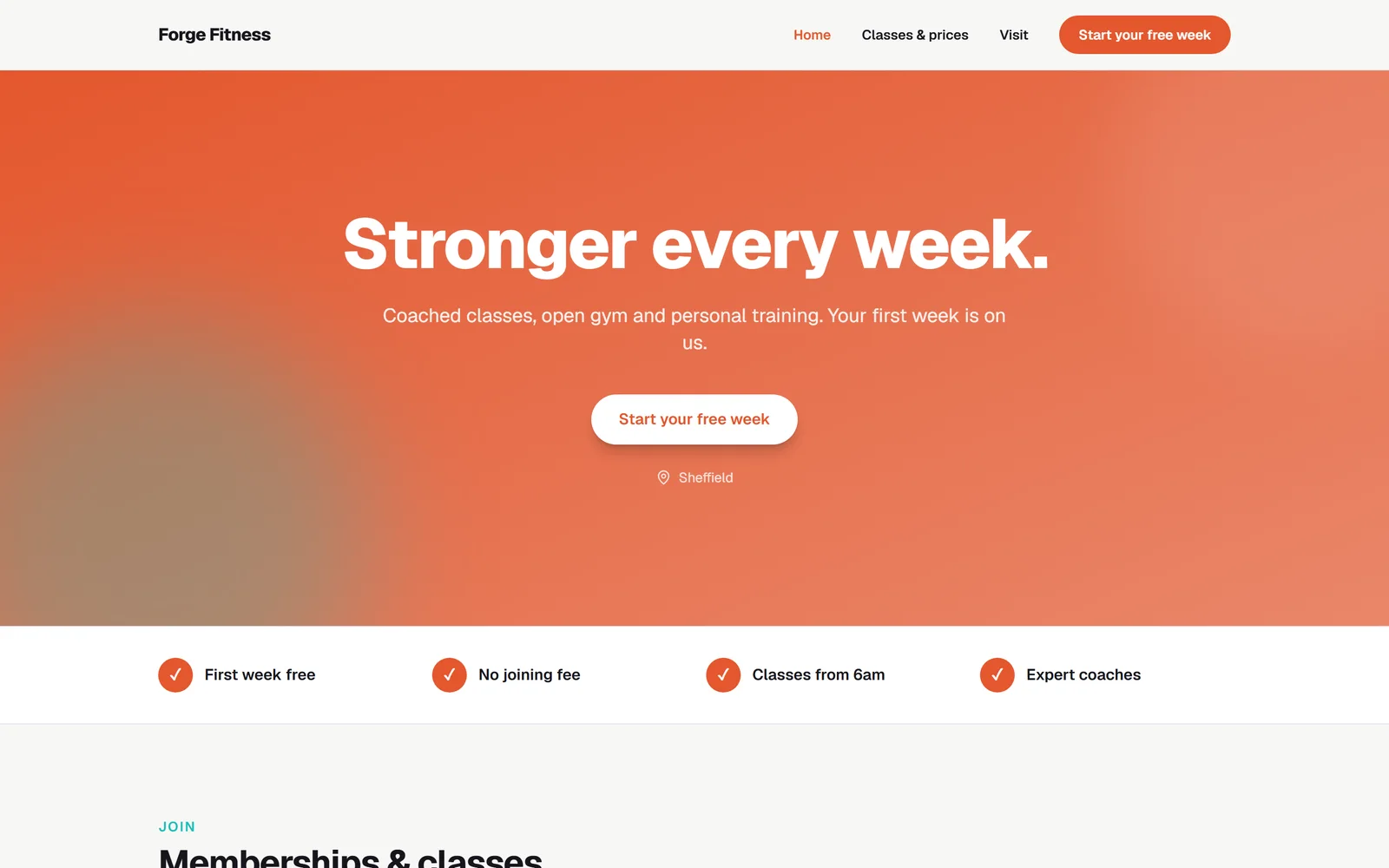
If you're happy with your website, your app can start by opening it inside the app, with your own icon on the home screen. Then it can grow with screens built for the phone, such as bookings, a loyalty card or member accounts, whenever you are ready.
- A quick, affordable first version
- Your own icon and name on the home screen
- Add phone screens one at a time
How much does it cost to build an app?
The honest answer is that it depends on what the app does, which is why we never quote before we understand it. What we can promise is that you'll see the cost of every step in the written plan before anything is spent, and that the estimate updates live as you add or remove features.
Apps start from €350. That covers the screens, the build in phases and the testing. Most business apps also need an online backend for accounts, saved data and notifications, which is quoted for your project. Preparing the store listing and submitting to the App Store and Google Play is quoted for your project. If you want a website and an app built together as one brand, that starts from €500. Full details are on our pricing page.
What makes an app cost more
The number of different screens, how many kinds of user there are (customers, staff, admins), payments, and anything that has to happen in real time, like chat or live order tracking. Linking to systems you already use also adds work. Simple apps with a clear job are faster and cheaper to build, and easier for your customers to use.
What makes it cost less
Starting from your existing website, launching with the few features your regulars ask for most, and adding the rest in later phases. Because the plan is split into phases, you can launch a smaller first version and grow it as the app proves itself.
Costs after launch
Once the app is live there are usually three ongoing costs: your own App Store and Google Play developer accounts, which the stores charge for, the backend that keeps accounts and data online, and any changes or new features you ask for. If you'd like us to keep an eye on things month to month, see care plans.
The app is the start, not the whole job
App backend
Accounts, data, notifications and payments, built to match your app.
App backend development →Beta testing
Test versions for your team, instant small updates and control over who uses which version.
App beta testing →Store launch
Screenshots, listing text, privacy answers and submission to both stores.
Publish your app →Ordering in the app
Collection, delivery and order-ahead with no commission on each order.
Online ordering →Bookings and members
Appointments, classes and memberships your customers manage themselves.
Bookings and memberships →Common mistakes when commissioning an app
Most app projects that disappoint do so for the same few reasons, and almost none of them are about code. Knowing them up front saves money and months.
Trying to build everything in version one
A long list of features feels safe, but it delays launch and makes the app harder to use. The better question is: what will a regular customer do every week? Build that first, launch it, and let real use tell you what comes next.
Approving words instead of screens
A written spec can mean different things to different people. Seeing and tapping the actual screens before they are built is the quickest way to find out whether everyone means the same thing. That's why every screen in our process is previewed and approved first.
Publishing under someone else's account
If your app is published under a developer's own store account, moving it later can be awkward. We recommend your app lives under your own App Store and Google Play developer accounts, so it belongs to your business, and we help you set them up. More on that in publishing your app.
Forgetting that people have to find it
An app in the store is not the same as an app on people's phones. Tell customers at the counter, on receipts, on your website and in your emails. A QR code on the table or the till does a lot. Our growth tools help with the parts that happen outside the app.
Leaving the backend as an afterthought
Sign-in, saved data and payments are what make an app useful, and they are also where problems hide. Planning the backend with the screens, rather than bolting it on at the end, keeps the app reliable as more people use it.
Ask for a change in plain words. See it before it goes out.
Write what you want changed in your own words from your business portal, with a photo if it helps. It is made, tested on a phone and shown to you before the update reaches your customers. Small changes can often reach people's phones without a new download.
- Requests tracked from asked to done
- Tested before every update
- Every version saved and reversible
Questions about app development
How long does it take to develop an app?
It depends on how many screens and features the app has, so we don't guess. Your written plan shows the build phases in order, with a timeline for each, before anything is spent. Simple apps with one clear job move quickly. Apps with payments, several kinds of user or real-time features take longer. Because the work is in phases, you can also launch a smaller first version sooner and add the rest afterwards.
How much does an app cost?
Apps start from €350, an online backend for accounts and data is quoted for your project, and store launch is quoted for your project. Your plan shows the cost of every step before you agree to it, and the estimate updates as you add or remove features, so there's no surprise bill at the end.
Do you build for both iPhone and Android?
Yes. Your app is built once and runs on both iPhone and Android, which keeps the cost down and means both versions get the same features at the same time. It's published on the App Store and on Google Play under your business name.
Can I see the app before it's built?
Yes, and you should. Before any building starts you get live, tappable previews of every screen in your brand. You can try them on your phone, ask for changes in plain words and approve each one. Only approved screens are built.
Can I try the app before it goes in the stores?
Yes. You get a private link to try it, and test versions can be sent to your team or a group of testers with an invite link. Android test builds are available today and iPhone test builds are coming. See app beta testing for how it works.
Do I need my own developer accounts?
We recommend it. Publishing under your own App Store and Google Play developer accounts means the app belongs to your business, and the stores charge for those accounts directly. We help you set them up and tell you exactly what each store will ask for.
Can customers pay inside the app?
Yes. Card payments can go straight to your business's own account, including subscriptions for memberships and plans, and payouts to other people for marketplace-style apps. Payments are confirmed on the server, not just on the phone.
What's the difference between a webview app and a native app?
A webview app shows your website inside an app with your own icon. A native app has screens built for the phone, which feel quicker and make better use of things like notifications and sign-in. Many businesses start with their website inside the app and add phone screens as they go.
Can I pause the project?
Yes. If you need to stop for budget, a busy season or a decision, the project can be paused and resumed later. Everything built and approved so far stays saved, and the plan picks up where you left off.
Who looks after the app after launch?
We can. Changes are asked for in plain words from your portal, made, tested on a phone and shown to you before each update. Small changes can often reach phones without a new download, and you can see which versions your customers are using and ask everyone to update when it matters.
Do you work in English and Spanish?
Yes. We work with businesses remotely, in English and Spanish, and your app can be in both languages so every customer sees it in theirs.
Thinking about an app?
Tell us what you have in mind, in your own words. You'll get questions, then a written plan with every screen and the cost of each step, before anything is spent.