Client retention for web agencies: keep every client happy and paying
Winning a client is the expensive part. Keeping them should be the easy part, and it is when you can see who needs attention, show what you’ve done each month and offer the right next service at the right time. The retention tools do that for every client in your studio.
- Every client scored, worst first
- Monthly reports sent for you
- Care plans and upsell ideas built in
Why client retention for web agencies matters as much as new leads
Most web studios put their energy into finding the next client and very little into keeping the last one. That’s understandable: a launch feels like the finish line. But for a studio, launch is where the steady part of the business begins. Client retention for web agencies is about turning a one-off website into years of hosting, care, improvements and referrals, and that only happens if the client keeps seeing the value of what you do.
The retention tools are part of the builder we run our own studio on. They watch every client for you, write the monthly report, keep care plans running and suggest what each client could use next, so looking after clients doesn’t depend on you remembering to.
The one-off trap
A studio that only sells builds has to find new work every month to stand still. A studio whose clients stay on care plans, hosting and growth services starts each month with income already coming in. Every client you keep is one less you need to find, and a client who stays is the one most likely to recommend you.
Why clients leave
Clients rarely leave because the website broke. They leave because they stopped hearing from you, because they couldn’t see what the monthly fee paid for, because they noticed a problem before you did, or because someone offered them something cheaper and they had no reason to say no. Each of those is fixable, and each is what the retention tools are designed around.
What good retention looks like
Regular, useful contact. Problems spotted and fixed before the client notices. A short report every month that shows real work. A clear next step when the business is ready to grow. And a place where the client can see all of it without asking. None of that is complicated; it just needs to happen every month, for every client, without fail.
Client health scores: see who needs you, worst first
When you look after twenty or fifty clients, it’s hard to know which one is quietly drifting away. Every client in the builder gets a health score from 0 to 100, listed worst first, with the reasons behind it in plain words. Start at the top of the list and you’re always spending time where it matters most.
A score you can explain
A number on its own isn’t much use. Each score comes with its reasons, so you know what to do about it rather than just that something is wrong. Fix the cause, and the score follows.
What to do with a low score
Get in touch before they do. A short message that names the issue and what you’re doing about it turns a moment of doubt into a moment of trust. Where there’s something to fix, fix it and say so. Where the client simply hasn’t heard from you in a while, send last month’s report with a personal note.
Healthy clients are your best leads
The top of the list matters too. A client with a high score is happy, and a happy client is the right person to ask for a review, a referral or a conversation about what comes next.
Monthly client reports that show your work
The monthly fee is easiest to justify when the client can see what it paid for. The builder writes a monthly report for every client and sends it on the first of the month, so they hear from you regularly even in the months when nothing went wrong.
What’s in each report
What you did for them that month, how their website held up for uptime and speed, and the results of any SEO and social posts. It’s written for a business owner, not a developer, so it reads in a couple of minutes and makes sense without a call.
Sent on the first of the month
Reports go out on the first of every month without you assembling them. A regular rhythm matters more than a long report: clients come to expect it, and its absence would be noticed.
Making reports land
Lead with what changed for the business, not with technical detail. Mention one thing you fixed before they noticed. End with a single suggestion for next month. When a report always contains something useful, clients read it, and clients who read their reports rarely ask what they’re paying for.
Their progress and website health, every day
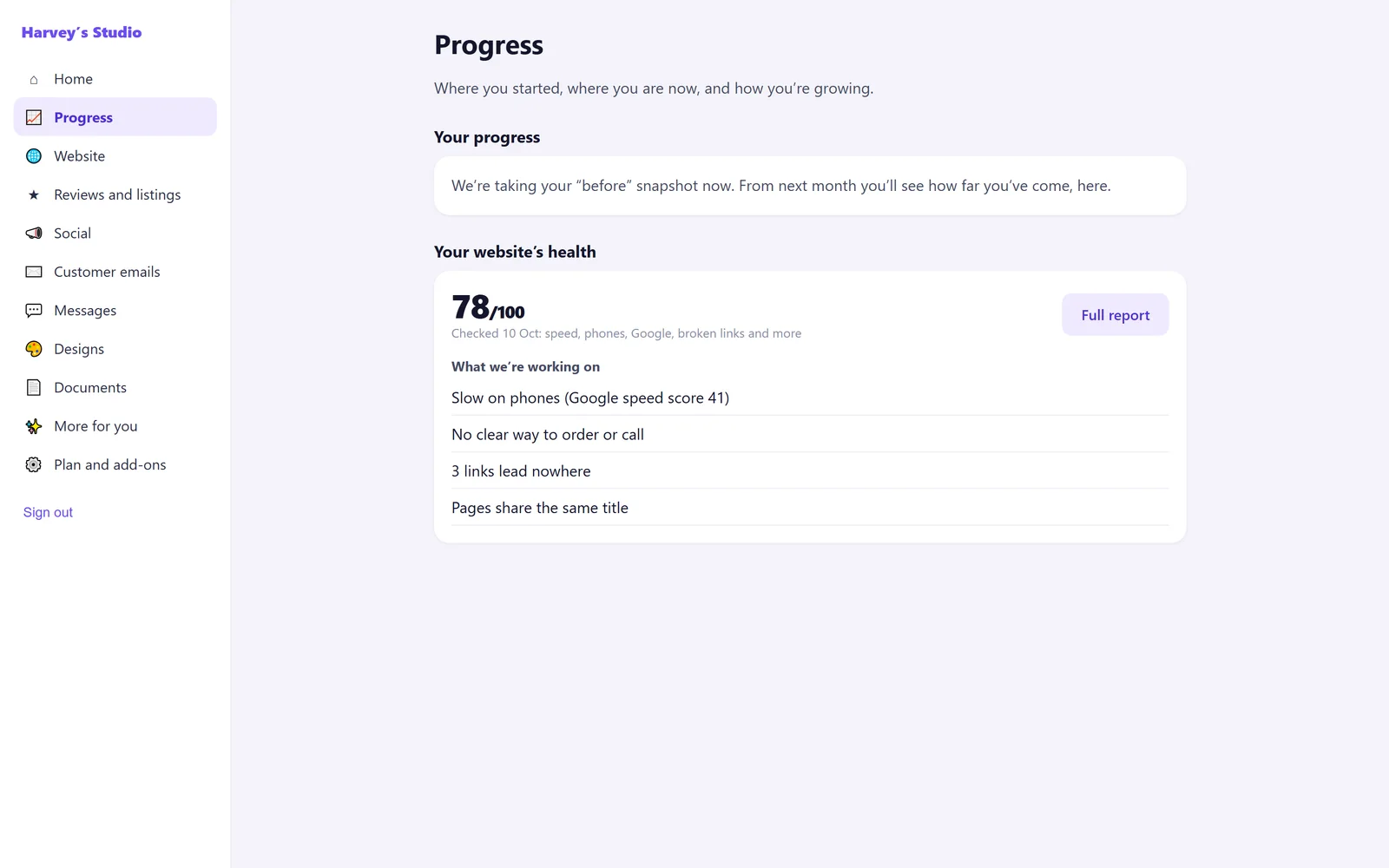
Clients don’t have to wait for the report. Their portal shows where they started, where they are now and how their website is doing, so the value of your work is visible whenever they look.
- Before and now, side by side
- Website health at a glance
- Everything you do, every month
Care plans that keep websites healthy and income steady
A care plan is the most natural monthly service a studio can sell: the client wants their website to keep working, and you’re the person who knows it best. The builder handles the watching and the reporting, so a care plan is something you can offer every client without adding hours to every week.
What a care plan includes
Uptime checked every five minutes, so you know about an outage before the client calls. Security certificate and speed checks. A monthly care report. Included changes, so small updates don’t need a new quote. With our hosting, changes can be tried on a staging copy, made live and rolled back if needed. Our page on website maintenance plans describes the plan from your client’s side, and managed hosting covers what the hosting includes.
Pricing care plans
You set your own prices. Many studios offer two or three levels that differ by how many changes are included and how quickly they respond. Keep the difference easy to explain, put the care plan in the original proposal rather than offering it after launch, and make sure the monthly report shows what each level delivers.
Common care plan mistakes
Offering care only after launch, when the client has already mentally finished paying. Including unlimited changes, which turns a care plan into an open-ended job. And staying silent when nothing goes wrong, so the client thinks nothing is being done. Good care is visible care.
Upsell ideas that help the client, not just your invoice
The best upsell is the one the client would have asked for if they’d known it existed. Each project in the builder lists the growth tools and care services it could use as switches with their prices, and the retention tools show who could use what next, so your suggestions are specific to the business rather than a generic menu.
Who could use what next
Instead of offering everything to everyone, the retention tools point out which client could benefit from which service. A business with few reviews might need the reviews engine; one that ranks poorly might need SEO; a busy one with a quiet website might need regular social posts. You decide what to suggest and when.
Growth engines to offer
SEO with a monthly audit, a keyword plan and fixes the client approves. A reviews engine with a public review page and a QR code. Social posts drafted for the client and short promo videos. Listings, customer email campaigns, A/B tests, competitor watch, local moments that tie offers to weather, holidays and events, and mystery shopper checks of their own website. See all of them on our growth engines page.
Upselling without being pushy
Suggest one thing at a time, tied to something the client cares about: more bookings, more calls, more reviews. Use their own numbers from the monthly report. And be willing to say a service isn’t right for them yet; the trust you earn by saying no makes the next yes easier.
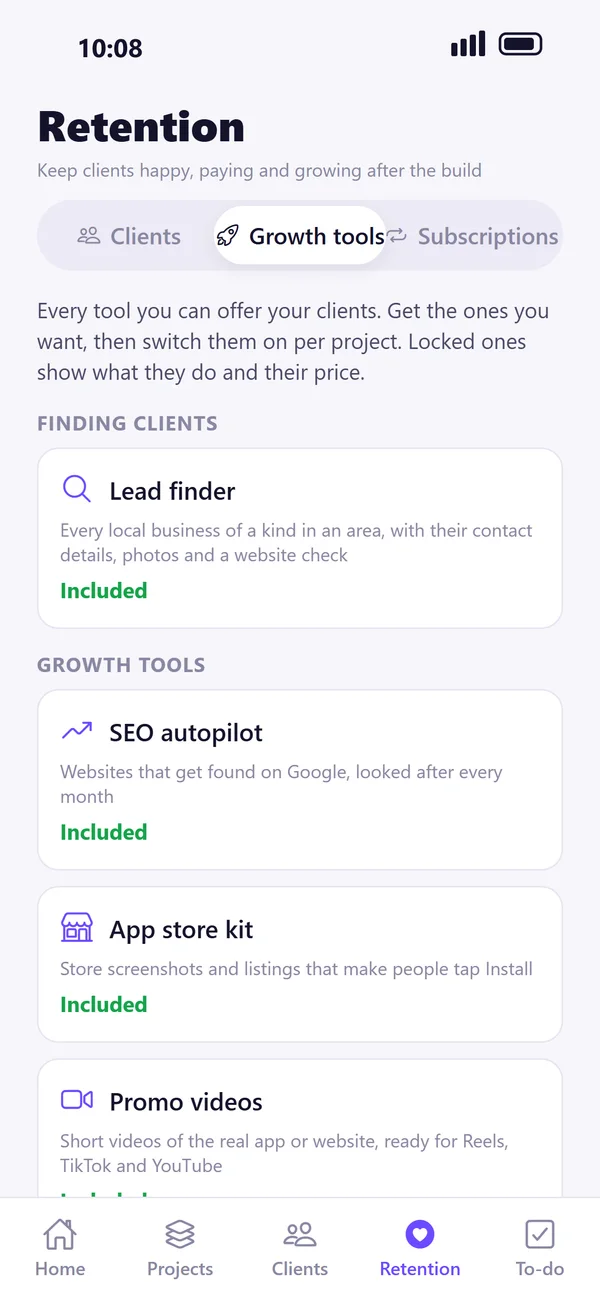
Growth tools to offer every client
Each project shows the services it could add, with their prices, so offering the next step takes a tap. Clients can also add a tool themselves from their portal when they’re ready.
- Services shown as simple switches
- Prices on every one
- Clients can add tools in a tap
A portal that keeps your work in view
Out of sight is out of mind. Every client gets their own business portal with one login, and it’s one of the strongest retention tools you have, because it puts the value of your work in front of them whenever they open it.
What clients see
Their progress before and now, website stats, reviews, listings, website tests, documents and the designs you’ve shared for them to star. It installs like an app with notifications, so updates from you reach them on their phone.
Requests, messages and approvals
Clients ask for changes with photos and follow each one on a tracker, message you directly, and approve the customer emails you’ve prepared for them. They can edit their own opening hours and prices without waiting for you. Every message lands in your inbox in the builder.
Plan upgrades and new tools
When a client is ready for more, they can upgrade their plan or add a tool in a tap from their portal, and it’s billed through your sales tools with the rest of their monthly services.
Referrals from happy clients
The portal lets a client refer another business to you. A happy client who can recommend you in a couple of taps is worth more than any advert.
A month of looking after clients
Reports go out
On the first of the month, every client gets their report without you assembling it.
Check health scores
Start at the top of the list, worst first, and read the reasons.
Get in touch
Message the clients who need it before they message you.
Suggest one next step
Pick one useful service for the clients who are ready to grow.
Ask happy clients
Invite the healthiest clients to leave a review or refer a business.
Questions about keeping clients
What is client retention for web agencies?
It’s everything a studio does to keep clients after launch: looking after the website, staying in touch, showing the value of the work and offering the right next service. For a web agency it means turning one-off builds into years of hosting, care and growth work. The retention tools in the builder handle the watching, the reports and the suggestions so it happens for every client.
How do I keep website clients after launch?
Keep in touch every month, fix problems before they notice, and show what you’ve done. A care plan with uptime checks and included changes gives you a reason to look after the site; a monthly report shows the work; a portal keeps it visible. Then suggest one useful next step when the business is ready to grow.
How is a client health score worked out?
Each client gets a score from 0 to 100, and the list is sorted worst first so the clients who need attention are at the top. Every score comes with its reasons in plain words, so you can see what is pulling it down and what to do about it, rather than trusting a number you can’t explain.
What goes in a monthly client report?
What you did for the client that month, how their website performed for uptime and speed, and the results of SEO and social posts where they have them. The builder writes the report and sends it on the first of the month. Keep it short and lead with what matters to the business; add a personal note when you can.
What should a website care plan include?
At the least: regular uptime checks, security certificate and speed checks, a monthly report and a set number of included changes. In the builder, uptime is checked every five minutes, and with our hosting changes can be tested on a staging copy and rolled back. Put the care plan in your first proposal so it starts the day the site goes live.
How do I upsell without annoying clients?
Suggest one thing at a time, tie it to a result they care about, and use their own figures from the monthly report. The retention tools show which client could use which service next, so your suggestion fits their business. Be ready to say a service isn’t right for them yet; that honesty makes the next suggestion easier to accept.
Can clients add services themselves?
Yes. From their portal, clients can upgrade their plan or add a tool in a tap. It’s billed with the rest of their monthly services, so there’s no separate invoice to set up. Many clients prefer this: they can look at what’s available in their own time and say yes when they’re ready.
Do my clients need a password for the portal?
Each client gets one login for their business portal, and it installs on their phone like an app with notifications. From there they see their progress, stats, reviews, documents and messages, ask for changes and approve emails. It’s designed for busy business owners, not technical users.
What do the retention tools cost?
The retention tools are a tool you switch on in the builder, priced from €24.99 a month a month. Building work and written help use credits, with the estimate shown before anything runs. You set your own prices for the care plans and services you sell to your clients. Current prices are on our pricing page.
Who can use the retention tools?
Studios and agencies on the builder, which partner studios join by invitation. They work alongside the lead finder and the sales tools, so a client you win is looked after in the same place you found them. Email us about your studio and how you look after clients today.
Keep the clients you worked so hard to win
The retention tools are part of the builder for studios and agencies. Tell us about your studio and the clients you look after.